Simulator - Understanding what's under the hood
The more you understand about the verilogTown, the better you can design levels and solve them. Here we will describe the car behaviour, simulator, and program structures.Car Behaviour
If you have read the Verilog tutorial, you got some insight to how the cars in verilogTown behave.
The car will follow the following rules:
- Cars stay in their lanes (Right Lane convention).
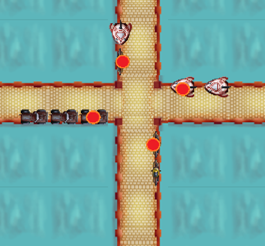
- A car will not crash into a car that is moving in the same
direction as it is. Therefore, if car 1 stops at a traffic
light going north, car 2 will stop behind car 1 if also going north.
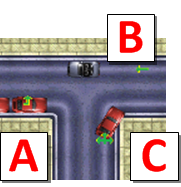
- A car will follow the traffic signal that it goes through.
If it is a forced turn that is not legal, then the car will
wait. In the below example, A car can't turn left and is
waiting, car B is forced to go straight, and car C can go any direction
it wants.
- A car has a predefined destination and does a breadth-first-search to find a path. It will follow that path until a traffic light forces it off that path. If there is no solution for a new path then the car will count as an unsuccessful car. Note, cars will do U-turns in traffic lights if this is the shortest path.
Simulator Details
Here are some facts about the simulator that you should understand:
- The simulator for the Verilog has a clock of 25Hz. This means the clock ticks for every animation frame in the game.
- After each clock simulation, the game simulates the combinational logic to propogate results through the logic.
- The reset signal is handled for you and goes from low to high when the simulation starts.
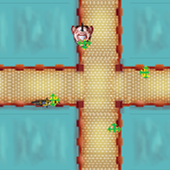
- In the combinational
template you might have the following situation:
Program Structure - Editing Verilog Files and Levels
To edit the Verilog files, from the root directory of verilogTown go to Levels/ and then go to the level you want to edit. For example, to edit the traffic lights for Level 3 you would open the "Lv3/VerilogFiles/" directory. There, you will see 11 files, which are the Verilog files. We use the following convention for which file corresponds to which file (left to right, top to bottom):

Also in the directory "Lv3/Maps/" there is a file called "lv03.xml". This file tells the game what the map looks like and where the cars come from. You can edit this file, but we recommend using our level editor tool.